
 All vikis
PC Requirements and Anti-Cheat
Battlefield 6 on PC needs at least an Intel Core i5-8400 or Ryzen 5 2600, an RTX 2060, RX 5600 XT or Arc A380, 16 GB of RAM and Windows 10, and every tier also needs TPM 2.0 and Secure Boot turned on for EA's kernel-level Javelin anti-cheat. EA lists four tiers, from 1080p at 30 fps to 4K at 240 fps with frame generation.
Battlefield 6's minimum PC is an Intel Core i5-8400 or AMD Ryzen 5 2600 with an NVIDIA RTX 2060, AMD RX 5600 XT or Intel Arc A380 (6 GB), 16 GB of RAM and Windows 10, aimed at 1080p and 30 frames per second on Low, but the requirement that stops most players is not the hardware: every PC also needs TPM 2.0 and Secure Boot turned on. EA's Javelin anti-cheat runs at the kernel level of Windows and refuses to start without them. IGN's guide explains Secure Boot as a check against malicious programs that load before Windows does, which is how many cheats hide. This page lists every tier, then how to turn Secure Boot on and the errors players hit. The settings to use once the game runs are on Best Settings and Performance.
Quick facts
| Minimum | i5-8400 / Ryzen 5 2600, RTX 2060 / RX 5600 XT / Arc A380, 16 GB, Windows 10, 1080p 30 fps Low |
| Recommended | i7-10700 / Ryzen 7 3700X, RTX 3060 Ti / RX 6700 XT / Arc B580, 16 GB, Windows 11, 1440p 60 fps High |
| Ultra | i9-12900 / Ryzen 7 7800X3D, RTX 4080 / RX 7900 XTX, 32 GB, 4K 60 fps Ultra |
| Ultra+ | Core Ultra 9 285K / Ryzen 7 9800X3D, RTX 5080, 32 GB, 4K 144 fps High with DLSS and frame generation |
| Storage | 55 GB minimum; Steam lists 80 GB for Recommended as of Nov 8, 2026 (EA said 90 GB SSD at launch) |
| Required on every tier | TPM 2.0, UEFI Secure Boot, HVCI and VBS capable, DirectX 12, 64-bit |
| Anti-cheat | EA Javelin Anticheat, kernel level |
| Ray tracing | None |
| Not supported | Steam Deck, Linux, Proton, virtual machines |
Battlefield 6 system requirements
EA published four tiers on Oct 7, 2025, each with a target resolution and frame rate. EA notes they are "a minimal viable build" for its seven in-game presets, not a complete list.
| Minimum | Recommended | Ultra | Ultra+ | |
|---|---|---|---|---|
| Target | 1080p, 30 fps, Low | 1440p 60 fps High, or 1080p 80+ fps Low | 4K 60 fps Ultra, or 1440p 144 fps Medium | 4K 144 fps High, or 4K 240+ fps Ultra, with DLSS and Multi Frame Generation |
| OS | Windows 10 | Windows 11 64-bit | Windows 11 64-bit | Windows 11 64-bit |
| CPU | Intel Core i5-8400, AMD Ryzen 5 2600 | Intel Core i7-10700, AMD Ryzen 7 3700X | Intel Core i9-12900, AMD Ryzen 7 7800X3D | Intel Core Ultra 9 285K, AMD Ryzen 7 9800X3D |
| GPU | NVIDIA RTX 2060, AMD RX 5600 XT, Intel Arc A380 (6 GB) | NVIDIA RTX 3060 Ti, AMD RX 6700 XT, Intel Arc B580 (8 GB) | NVIDIA RTX 4080, AMD RX 7900 XTX (16 GB) | NVIDIA RTX 5080 (16 GB) |
| RAM | 16 GB, dual channel 2133 MHz | 16 GB, 3200 MHz | 32 GB, 4800 MHz | 32 GB, 4800 MHz |
| Storage | 55 GB HDD | 90 GB SSD | 90 GB SSD | 90 GB SSD |
The Steam store page, read on Nov 8, 2026, shows only Minimum and Recommended, with the same chips but 80 GB of space for Recommended, and spells out the extras: "TPM 2.0 Enabled, UEFI SECURE BOOT Enabled, HVCI Capable, VBS Capable". The install size moves with each season, and on consoles the optional HD content packs alone are 20 to 30 GB, so we would plan for the 90 GB EA gave.
Will it run on an older PC?
The minimum list is cautious. zWORMz Gaming ran a GTX 1050 Ti, a 2016 card well below EA's RTX 2060, in Breakthrough on Manhattan Bridge at 1080p on the lowest settings and got about 40 frames per second, dipping into the 20s, roughly the 30 frames EA's minimum promises. His conclusion: the 1050 Ti is closer to the "true" minimum GPU than the RTX 2060.
Dropping to native 720p with no upscaling pushed the same card to around 50 frames per second in his test. It looks pixelated, but he preferred it to upscaled 1080p because enemies stay easy to pick out at distance. He found FSR frame generation on such a card added "a freak ton of input lag", so turning it on to reach 60 is a poor trade.
The processor matters more than the minimum list suggests. Digital Foundry paired an RTX 4060 with a Ryzen 5 3600 (a little faster than the minimum Ryzen 5 2600) in 64-player Conquest: the GPU could do 90 to 100 frames per second, but the CPU dragged it into the upper 60s at worst, with a much spikier frame time graph than the same card with a Ryzen 7 9800X3D. Six-core CPUs from 2018 and 2019 run the game, but not smoothly at high frame rates. We think the CPU is the part to check first on an older PC: a six-core chip at the minimum will hold 60 with a frame cap, and the GPU can then be matched to the resolution you want.
What Secure Boot, TPM and Javelin are
EA's Secure Boot post of Aug 4, 2025 says plainly that "Secure Boot is a requirement to play Battlefield 6 on PC", available on Windows 10 and 11. It blocks cheats that load while Windows is starting, and supports EA's defenses against kernel-level cheats and rootkits, memory manipulation, spoofing, virtual machines and emulation, and tampering with the anti-cheat. Steam's page names the anti-cheat "EA Javelin Anticheat" and marks it "Uses Kernel Level Anti-Cheat".
Javelin is EA's own system, built by a team that works on each of EA's shooters with the Battlefield Positive Play team. EA publishes a monthly anticheat metrics post; the September 2026 report came out on Oct 30, 2026. Because Javelin needs real Windows with these protections, Battlefield 6 does not run on Steam Deck, Linux or Proton, and refuses virtual machines (Platforms and Crossplay).
We think the trade was right for a 64-player shooter whose free REDSEC mode invites new accounts every day, but it has a real cost: some older or custom-built PCs need a disk conversion and a firmware change before the game will start, which no other part of buying the game warns about. Check Secure Boot before you buy, not after.
How to turn on Secure Boot for Battlefield 6
Step one is to check where you stand. Type msinfo32 in the Start menu to open System Information, and look at two lines: "Secure Boot State" must read On, and "BIOS Mode" must read UEFI. If BIOS Mode says Legacy and your motherboard has no UEFI option, IGN notes it is a limit of the PC that only its maker can help with. If BIOS Mode is UEFI and Secure Boot is off, carry on.
Step two is the disk. Open Disk Management, right-click the disk that holds Windows (usually Disk 0) on its number at the left, choose Properties, and on the Volumes tab check the Partition style. It must be GPT. If it already is, skip step three.
Step three converts an MBR disk to GPT without wiping it, using Windows' own MBR2GPT tool from a Command Prompt run as administrator: first mbr2gpt /validate /disk:0 /allowFullOS (with your Windows disk's number), and if validation passes, the same command with /convert in place of /validate. Then check Disk Management again for GPT. Back up anything important before converting a disk.
Step four is the firmware. Restart and press the setup key while the PC starts, before Windows loads: usually F2, F12 or Delete, depending on the maker, and the start screen normally says which. Secure Boot sits under an "Advanced" or "Security" menu on most boards.
Step five: set Secure Boot to Enabled. It has to show as both enabled and active; if it will not become active, look for "Restore Factory Keys" (or similar), which reboots into the firmware and lets you enable it properly. Save, exit and start Windows, and msinfo32 should now show Secure Boot State On. TPM 2.0 is a separate firmware switch, often called fTPM on AMD boards or PTT on Intel boards; Windows 11 PCs already have it on.
Common errors and fixes
| Problem | Likely cause | Fix |
|---|---|---|
| Prompt that Secure Boot is not enabled | Secure Boot off in firmware | Steps above: check msinfo32, then enable in BIOS/UEFI |
| Secure Boot option missing or grayed out | Legacy/CSM boot or MBR disk | Convert the disk to GPT, switch boot mode to UEFI |
| Secure Boot enabled but not active | No platform keys installed | "Restore Factory Keys" in the firmware |
| BIOS Mode shows Legacy, no UEFI option | Very old motherboard | Contact the PC or board maker |
| Game will not start on Steam Deck, Linux or in a VM | Javelin needs Windows on bare hardware | Not supported; play on Windows, console or cloud |
| Stutter the first time an explosion or effect appears | Shaders still compiling | Cap the frame rate (below) |
The last row is a performance issue rather than an error. Digital Foundry saw occasional 50-millisecond hitches on a Ryzen 5 3600 the first time a new effect such as an explosion appeared, which "presents like a shader compilation stutter", and found the game's shader compilation step may not cover everything. With a 60 frames per second cap the hitches disappeared even with a fresh shader cache. On a lower-end CPU, cap the frame rate a little below your usual average; Best Settings and Performance has the rest of DF's advice.
Frequently asked questions
What are the minimum requirements for Battlefield 6 on PC?
Battlefield 6 needs at least an Intel Core i5-8400 or AMD Ryzen 5 2600, an NVIDIA RTX 2060, AMD RX 5600 XT or Intel Arc A380, 16 GB of RAM, Windows 10, 55 GB of space, DirectX 12, and TPM 2.0 with Secure Boot enabled.
Does Battlefield 6 require Secure Boot?
Yes. Battlefield 6 requires Secure Boot and TPM 2.0 on every PC, for EA's Javelin anti-cheat. Without them the game shows a prompt and does not start.
Can I play Battlefield 6 without Secure Boot?
No. Secure Boot is required to play Battlefield 6 on PC; the only alternatives are a console or cloud play through Game Pass Ultimate.
Does Battlefield 6 run on Windows 10?
Yes. Battlefield 6's minimum tier lists Windows 10, and EA says Secure Boot is available on Windows 10 and 11. The higher tiers list Windows 11.
Can a GTX 1050 Ti run Battlefield 6?
In zWORMz Gaming's test, a GTX 1050 Ti ran Battlefield 6 at about 30 to 40 frames per second at 1080p on the lowest settings, and around 50 at native 720p, below EA's official minimum GPU but playable.
Does Battlefield 6 have ray tracing?
No. Battlefield 6 has no ray tracing on PC or consoles; it uses DLSS, FSR and XeSS upscaling and DLSS Multi Frame Generation instead.
How big is Battlefield 6 on PC?
Battlefield 6 needs 55 GB for the minimum tier, and EA listed 90 GB on an SSD for the higher tiers at launch; Steam's Recommended tier says 80 GB as of Nov 8, 2026.
Sources
- Electronic Arts, Oct 7, 2025: Get Ready for Battlefield 6 (PC specs)
- Electronic Arts, Aug 4, 2025: Secure Boot information
- Electronic Arts, Oct 30, 2026: Battlefield 6 anticheat metrics, September 2026
- Electronic Arts, Aug 28, 2025: Battlefield 6 PC and Portal experience
- Steam: Battlefield 6, read Nov 8, 2026
- TechSpot, Aug 2025: Battlefield 6 anti-cheat system requires Secure Boot
- IGN, Aug 9, 2025: How to Enable SecureBoot for PC (for Battlefield 6) (video)
- zWORMz Gaming: GTX 1050 Ti - Battlefield 6 - The True Minimum Requirements GPU? (video)
- Digital Foundry, Oct 18, 2025: Battlefield 6 PC - DF Review + Optimised Settings (video)
Moments
How to Enable SecureBoot for PC (for Battlefield 6)
IGN
- Battlefield 6's minimum PC is an Intel Core i5-8400 or AMD Ryzen 5 2600 with an NVIDIA RTX 2060, AMD RX 5600 XT or…
- Step one is to check where you stand. Type msinfo32 in the Start menu to open System Information, and look at two…
- Step two is the disk. Open Disk Management, right-click the disk that holds Windows (usually Disk 0) on its number at…
- Step three converts an MBR disk to GPT without wiping it, using Windows' own MBR2GPT tool from a Command Prompt run as…
- Step four is the firmware. Restart and press the setup key while the PC starts, before Windows loads: usually F2, F12…
- Step five: set Secure Boot to Enabled. It has to show as both enabled and active; if it will not become active, look…
GTX 1050 Ti - Battlefield 6 - The True Minimum Requirements GPU?
zWORMz Gaming
Battlefield 6 PC - DF Review + Optimised Settings - +72% Perf Boost For Little Visual Loss
Digital Foundry
Related
-
 Top TipsThe best Battlefield 6 tips in one place, each in a sentence or two with a link to the page that explains it: play one class well, revive and drag before anything else, hit tanks from behind, mount and zero your weapon, and tune a few settings first. Current as of Season 5, Nov 8, 2026.
-
 CampaignBattlefield 6's campaign is a nine-mission single-player story that follows Dagger 13, a US Marine Raider squad, against the private army Pax Armata. It takes about four to six hours, has four difficulties and 30 dog tags, and its rewards carry into multiplayer.
-
 Campaign MissionsBattlefield 6's campaign has nine missions, from Always Faithful in Georgia to Always Forward in Tajikistan. This page lists each one in order with its place, date, objectives, trophies and rewards, and tips for each.
-
Campaign Story and EndingBattlefield 6's story follows Dagger 13 from Pax Armata's attack in Georgia in 2027 to the war's end in Tajikistan in 2028, and ends with the reveal that CIA handler Melissa Mills helped create Pax to give NATO a common enemy. This page explains the plot and the ending, with spoilers.
-
Dagger 13 and CharactersDagger 13 is the US Marine Raider squad of Battlefield 6's campaign: Haz Carter (Assault), Dylan Murphy (Engineer), Simone "Gecko" Espina (Recon) and Cliff Lopez (Support), with CIA operator Lucas Hemlock. This page covers them and the other characters, Mills, Kincaid, Al-Khatib and President Fernandez.
-
-
 AssaultAssault is Battlefield 6's objective class. It carries the Adrenaline Injector, captures and arms objectives faster, uses assault rifles best, and brings ladders, grenade launchers, a Deploy Beacon or a second primary weapon; its training paths are Frontliner and Breacher.
-
 ClassesBattlefield 6 has four classes, Assault, Engineer, Support and Recon, each with a fixed signature gadget, trait and weapon bonus, two training paths and an active ability. In most modes any class can carry any gun; Closed Weapon playlists keep each class to its signature weapon plus carbines, DMRs and shotguns.
See also
-
 Best Settings and PerformanceOn consoles, play Battlefield 6 in Balanced mode for a locked 60 fps, or Performance mode only with a 120 Hz VRR display. On PC, Digital Foundry's optimized settings (High or Medium sun shadows, GTAO or SSGI Low, High textures on 8 GB cards) gave an RTX 3070 72% more speed, and a frame cap fixes stutter on weaker CPUs.
-
 Manhattan BridgeManhattan Bridge is a Battlefield 6 launch map in Brooklyn, New York, fought in the streets and brownstones under the bridge's approach with tanks and attack helicopters. It is the vehicle map of the Brooklyn theater; Empire State is its infantry-only twin.
-
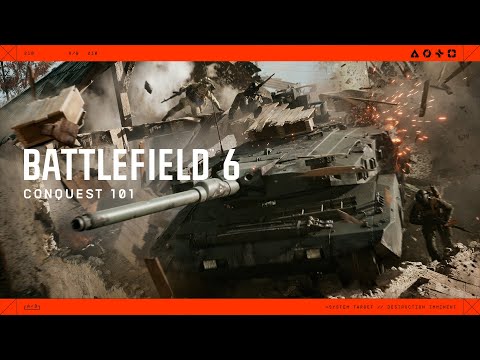 ConquestConquest is Battlefield 6's 64-player flag mode: two teams of 32 capture lettered objectives, and a team loses when its tickets (1,000 by EA's default) run out from deaths without revives and from the other side holding more flags. Holding every flag for a minute wins outright.
-
 Platforms and CrossplayBattlefield 6 is on PlayStation 5, Xbox Series X|S and PC (Steam, EA app and Epic Games Store), with crossplay across all of them on by default. There is no PS4, Xbox One, Switch 2, Steam Deck or Linux version, and PC players cannot turn crossplay off.
-
 REDSECBattlefield REDSEC is Battlefield 6's free-to-play battle royale, out since Oct 28, 2025 on PS5, Xbox Series X|S and PC. As of Season 5 (Nov 8, 2026) it offers Battle Royale on Fort Lyndon, Ranked, Casual and Rapid Royale, and shares its progression and battle pass with Battlefield 6.
-
Achievements and TrophiesBattlefield 6 has 42 achievements worth 1,000 Gamerscore on Xbox and PC, or 43 trophies with the platinum on PlayStation, plus 11 more for REDSEC; Steam lists all 53 together. Only 9.5% of Steam players have finished the campaign, as of Nov 8, 2026.